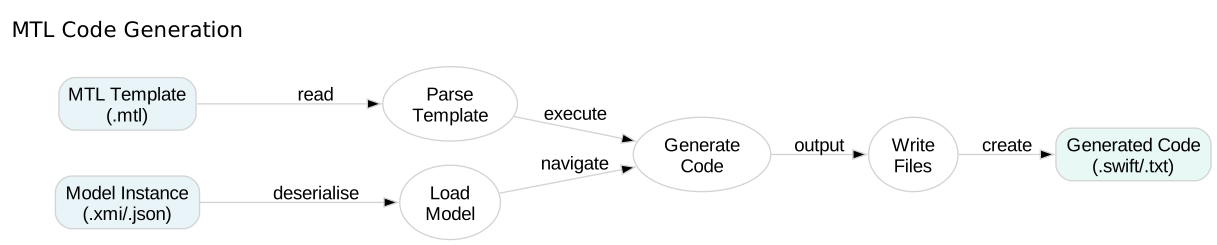
MTL Code Generation

Expressions and Variables

Learn how to use dynamic expressions and variables in MTL templates to generate computed values.

In this tutorial, you’ll explore arithmetic operations, string concatenation, variable bindings, and query definitions—the building blocks of dynamic code generation.

20 mins Estimated Time

Section 1

Understanding MTL Expressions

MTL expressions are dynamic computations enclosed in brackets. They can perform arithmetic, manipulate strings, call queries, and reference variables.

Expressions are evaluated at generation time and their results are inserted into the output. This transforms static templates into dynamic code generators.

Step 1

Use arithmetic expressions.

Arithmetic expressions (+, -, *, /) work with integers and are enclosed in [expression/] tags. The forward slash closes the expression.

Expressions.mtl
1[module Expressions('http://example.com')]
2
3[template main()]
4=== MTL Expression Examples ===
5
61. Arithmetic:
7 5 + 3 = [5 + 3/]
8 10 - 4 = [10 - 4/]
9 6 * 7 = [6 * 7/]
10[/template]

Step 2

Concatenate strings with the plus operator.

String literals use single quotes. The + operator concatenates strings, letting you build dynamic text from multiple parts.

Expressions.mtl
1[module Expressions('http://example.com')]
2
3[template main()]
4=== MTL Expression Examples ===
5
61. Arithmetic:
7 5 + 3 = [5 + 3/]
8 10 - 4 = [10 - 4/]
9 6 * 7 = [6 * 7/]
10
112. String Concatenation:
12 ['Hello' + ' ' + 'World'/]
13[/template]

Step 3

Generate output with expressions.

When you generate the template, MTL evaluates all expressions and inserts their results into the output at the positions where they appear.

Terminal
1swift-mtl generate Expressions.mtl

Section 2

Working with Queries

Queries are reusable functions that encapsulate logic and return computed values. They make templates more maintainable by avoiding duplication and improving readability.

Define queries before your templates using the [query name(parameters) : ReturnType = expression/] syntax.

Step 1

Define a simple query.

Queries have a name, optional parameters with types, a return type, and an expression. They’re similar to functions but execute at generation time.

Expressions.mtl
1[module Expressions('http://example.com')]
2
3[query getVersion() : String = '1.0.0'/]
4
5[template main()]
6Version: [getVersion()/]
7[/template]

Step 2

Call queries from templates.

Call queries using the same bracket syntax as expressions. Pass arguments in parentheses: [queryName(arg1, arg2)/].

Expressions.mtl
1[module Expressions('http://example.com')]
2
3[query getVersion() : String = '1.0.0'/]
4[query add(a : Integer, b : Integer) : Integer = a + b/]
5
6[template main()]
7Version: [getVersion()/]
8Sum of 10 + 20 = [add(10, 20)/]
9[/template]

Step 3

Define queries with parameters.

Parameters make queries reusable with different inputs. Each parameter needs a name and type (String, Integer, Boolean, etc.).

Expressions.mtl
1[module Expressions('http://example.com')]
2
3[query square(n : Integer) : Integer = n * n/]
4[query fullName(first : String, last : String) : String = first + ' ' + last/]
5
6[template main()]
7Square of 5: [square(5)/]
8Full name: [fullName('John', 'Doe')/]
9[/template]

Section 3

Variable Bindings with Let

The let directive creates local variables that hold computed values. Use them to avoid repeating complex expressions and to make templates more readable.

Variables are scoped to their let block and can be referenced in any expression within that scope.

Step 1

Create a variable with let.

The let directive binds a name to a value. The variable is available within the let block until [/let] closes the scope.

Expressions.mtl
1[module Expressions('http://example.com')]
2
3[template main()]
4[let version = '1.0.0']
5Application Version: [version/]
6[/let]
7[/template]

Step 2

Use multiple variables.

You can nest let bindings or create multiple variables in sequence. Each variable can reference previously defined ones.

Expressions.mtl
1[module Expressions('http://example.com')]
2
3[template main()]
4[let firstName = 'John']
5[let lastName = 'Doe']
6[let fullName = firstName + ' ' + lastName]
7Full Name: [fullName/]
8[/let]
9[/let]
10[/let]
11[/template]

Check Your Understanding

Question 1 of 3

How do you close an MTL expression?

Question 2 of 3

What is the purpose of a query in MTL?

Question 3 of 3

What does the let directive do?

Control Flow

Learn how to use conditional statements and iteration in MTL templates.