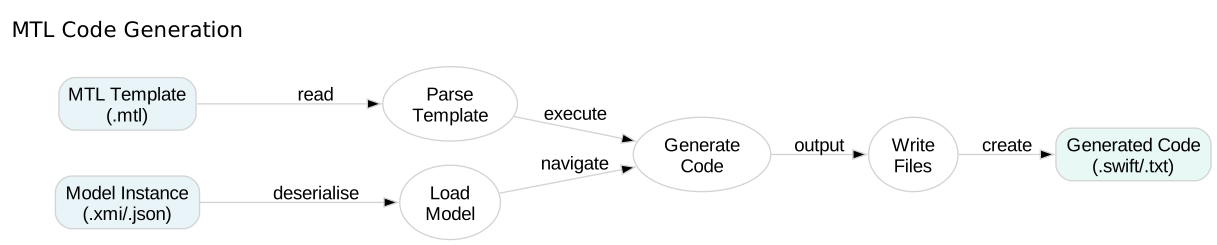
MTL Code Generation

Queries and Macros

Learn how to create reusable template components with queries and macros.

In this tutorial, you’ll combine queries for logic with macros for structural patterns, creating maintainable and DRY (Don’t Repeat Yourself) templates.

35 mins Estimated Time

Section 1

Advanced Queries

Queries encapsulate complex logic and make templates more maintainable. Use them for calculations, boolean tests, and data transformations.

Well-designed queries abstract away implementation details, making templates read like domain-specific languages.

Step 1

Define mathematical queries.

Create queries that perform common calculations. They can call other queries, building complex logic from simple parts.

Queries.mtl
1[module Queries('http://example.com')]
2
3[query square(n : Integer) : Integer = n * n/]
4[query cube(n : Integer) : Integer = n * n * n/]
5
6[template main()]
7Square of 5: [square(5)/]
8Cube of 3: [cube(3)/]
9[/template]

Step 2

Create boolean test queries.

Boolean queries return true/false and are perfect for use in if conditions, making your conditional logic more readable.

Queries.mtl
1[module Queries('http://example.com')]
2
3[query isEven(n : Integer) : Boolean = (n - (n / 2) * 2) = 0/]
4
5[template main()]
6Is 4 even? [isEven(4)/]
7Is 7 even? [isEven(7)/]
8[/template]

Section 2

Creating Macros

Macros are template fragments that accept parameters and a body. They’re ideal for wrapping repeated structures like headers, sections, or code blocks.

Unlike queries which return values, macros generate text using their body parameter and embedded content.

Step 1

Define a simple macro.

Macros take parameters and a Body parameter. The body is inserted where you write [content/] inside the macro.

Macros.mtl
1[module Macros('http://example.com')]
2
3[macro section(title : String, content : Body)]
4========================================
5[title/]
6========================================
7[content/]
8
9[/macro]
10
11[template main()]
12[section('Introduction')]
13This is the introduction section.
14[/section]
15[/template]

Step 2

Use macros in templates.

Call macros by name, passing arguments and providing content between the opening and closing tags. The content becomes the body parameter.

Macros.mtl
1[module Macros('http://example.com')]
2
3[macro codeBlock(language : String, content : Body)]
4```[language/]
5[content/]
6```
7[/macro]
8
9[template main()]
10[codeBlock('swift')]
11func greet(name: String) {
12 print("Hello, \(name)!")
13}
14[/codeBlock]
15[/template]

Step 3

Combine multiple macros.

Macros can call other macros, building complex formatting from simple building blocks. This creates consistent, maintainable templates.

Macros.mtl
1[module Macros('http://example.com')]
2
3[macro section(title : String, content : Body)]
4========================================
5[title/]
6========================================
7[content/]
8
9[/macro]
10
11[macro emphasis(content : Body)]
12*** [content/] ***
13[/macro]
14
15[template main()]
16[section('Important Notice')]
17[emphasis()]This section contains critical information[/emphasis]
18[/section]
19[/template]

Check Your Understanding

Question 1 of 2

What is the difference between queries and macros?

Question 2 of 2

How do you pass content to a macro?

Code Generation from Models

Learn how to load models and navigate them in MTL templates to generate code based on metamodel structure.