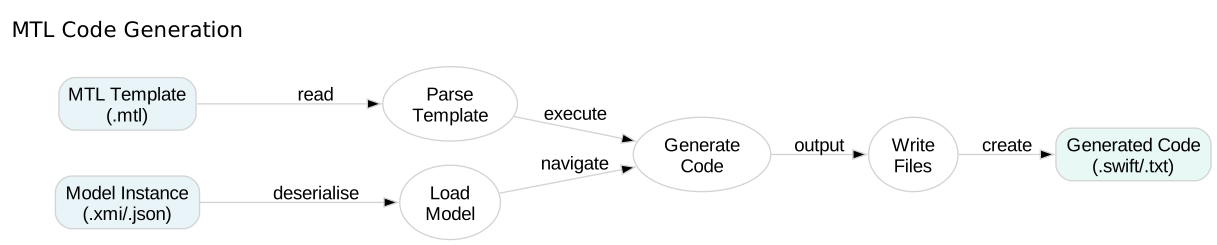
MTL Code Generation

Code Generation from Models

Learn how to load models and navigate them in MTL templates to generate code based on metamodel structure.

In this tutorial, you’ll work with the Company metamodel from earlier tutorials, loading model instances and generating Swift code from them.

40 mins Estimated Time

Section 1

Loading Models in Templates

MTL templates can reference metamodels and navigate loaded model instances. The module declaration specifies the metamodel URI, and template parameters define model types.

This connects your templates to actual model data, enabling true model-driven code generation.

Step 1

Declare a metamodel-aware module.

The module declaration now references the Company metamodel’s nsURI. This lets MTL understand the metamodel’s structure.

CompanyGenerator.mtl
1[module CompanyGenerator('http://www.example.org/company')]

Step 2

Create a template that accepts a model element.

The template parameter c : Company indicates this template expects a Company model element. You can access the element’s properties using dot notation.

CompanyGenerator.mtl
1[module CompanyGenerator('http://www.example.org/company')]
2
3[template main(c : Company)]
4Company: [c.name/]
5[/template]

Step 3

Generate code from the model.

Pass both the template and model file to swift-mtl. It loads the model and executes the template with the root element.

Terminal
1swift-mtl generate CompanyGenerator.mtl --model company-model.xmi --output generated/

Check Your Understanding

Question 1 of 1

How do you specify that a template works with a specific metamodel?

Protected Areas

Learn how to preserve manual code changes across regenerations using protected areas.