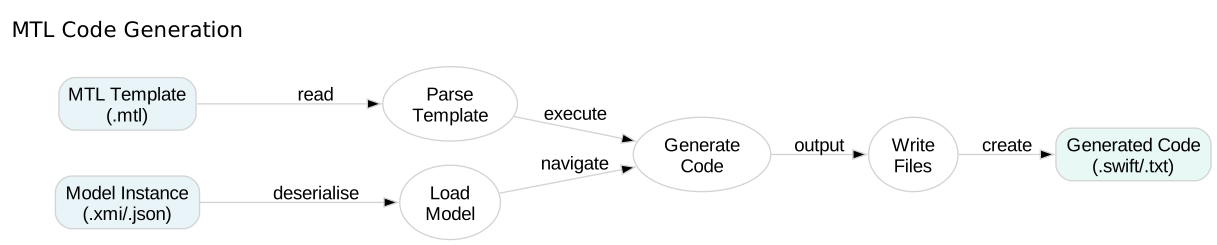
MTL Code Generation

Control Flow

Learn how to use conditional statements and iteration in MTL templates.

In this tutorial, you’ll explore if/else conditionals, elseif chains, and let bindings to control the flow of code generation based on runtime conditions.

25 mins Estimated Time

Section 1

Conditional Generation with If

The if directive lets you conditionally generate content based on boolean expressions. Use it to customise output based on model properties or template parameters.

If statements can include else branches and multiple elseif conditions for complex decision logic.

Step 1

Use a simple if statement.

The condition (true) is always satisfied, so the content inside [if]...[/if] is generated. False conditions skip their content.

ControlFlow.mtl
1[module ControlFlow('http://example.com')]
2
3[template main()]
4[if (true)]
5 ✓ This branch is executed
6[/if]
7[/template]

Step 2

Add an else branch.

When the if condition is false, the else branch executes instead. Use this for either/or generation logic.

ControlFlow.mtl
1[module ControlFlow('http://example.com')]
2
3[template main()]
4[if (false)]
5 ✗ This branch is NOT executed
6[else]
7 ✓ This branch is executed
8[/if]
9[/template]

Step 3

Use elseif for multiple conditions.

The elseif directive lets you test multiple conditions sequentially. The first true condition executes, then MTL skips the rest.

ControlFlow.mtl
1[module ControlFlow('http://example.com')]
2
3[template main()]
4[let value = 15]
5[if (value < 10)]
6 Value is less than 10
7[elseif (value < 20)]
8 Value is between 10 and 20 (current: [value/])
9[else]
10 Value is 20 or greater
11[/if]
12[/let]
13[/template]

Section 2

Working with Let Bindings

Let bindings create scoped variables for use in conditions and expressions. They make complex templates more readable by naming intermediate values.

Variables defined with let are available throughout their scope block and can be used in any MTL construct.

Step 1

Combine let with if statements.

Define a variable with let, then use it in if conditions. This separates value computation from conditional logic, improving readability.

ControlFlow.mtl
1[module ControlFlow('http://example.com')]
2
3[template main()]
4[let isProduction = false]
5[if (isProduction)]
6 // Production configuration
7[else]
8 // Development configuration
9[/if]
10[/let]
11[/template]

Step 2

Nest let bindings.

Inner let blocks can access variables from outer blocks. Each /let] closes one level of scope.

ControlFlow.mtl
1[module ControlFlow('http://example.com')]
2
3[template main()]
4[let firstName = 'John']
5[let lastName = 'Doe']
6 Full Name: [firstName + ' ' + lastName/]
7[/let]
8[/let]
9[/template]

Check Your Understanding

Question 1 of 2

What happens when an if condition is false?

Question 2 of 2

How do you close a let binding?

File Blocks

Learn how to generate multiple output files from a single MTL template using file blocks.