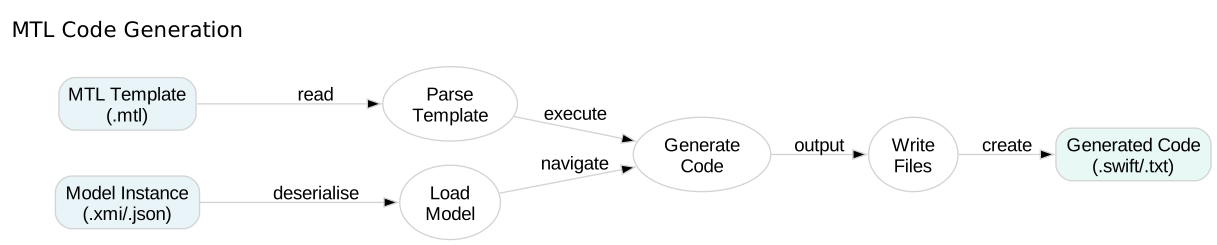
MTL Code Generation

File Blocks

Learn how to generate multiple output files from a single MTL template using file blocks.

In this tutorial, you’ll explore file generation modes, character encodings, and strategies for organising generated code across multiple files.

30 mins Estimated Time

Section 1

Understanding File Blocks

File blocks let you generate multiple files from one template. Each file block specifies a filename, generation mode, and encoding.

Without file blocks, MTL generates a single output file. File blocks give you fine-grained control over the generated file structure.

Step 1

Create a basic file block.

The file directive takes three parameters: filename, mode (‘overwrite’/‘append’/‘create’), and encoding (typically ‘UTF-8’).

FileBlocks.mtl
1[module FileBlocks('http://example.com')]
2
3[template main()]
4[file ('greeting.txt', 'overwrite', 'UTF-8')]
5Hello from MTL!
6This file was generated using a file block.
7[/file]
8[/template]

Step 2

Generate multiple files.

Each file block creates a separate output file. The main template can contain multiple file blocks to generate an entire project structure.

FileBlocks.mtl
1[module FileBlocks('http://example.com')]
2
3[template main()]
4[file ('greeting.txt', 'overwrite', 'UTF-8')]
5Hello from MTL!
6[/file]
7
8[file ('data.txt', 'overwrite', 'UTF-8')]
9Data File
10=========
11Item 1: Alpha
12Item 2: Beta
13[/file]
14[/template]

Step 3

Execute and verify file generation.

When you run swift-mtl with an output directory, each file block creates its named file in that directory.

Terminal
1swift-mtl generate FileBlocks.mtl --output generated/
2ls -1 generated/

Section 2

File Generation Modes

File modes control how MTL handles existing files. Use ‘overwrite’ for complete regeneration, ‘append’ for incremental updates, and ‘create’ to avoid overwriting manual changes.

Choosing the right mode prevents accidental data loss and enables collaborative development with generated and hand-written code.

Step 1

Compare file modes.

Overwrite replaces the file completely, append adds to the end, and create only writes if the file doesn’t exist.

FileBlocks.mtl
1[module FileBlocks('http://example.com')]
2
3[template main()]
4[file ('overwrite-mode.txt', 'overwrite', 'UTF-8')]
5This file is completely replaced on each generation.
6[/file]
7
8[file ('append-mode.txt', 'append', 'UTF-8')]
9This line is added to the end of the file.
10[/file]
11
12[file ('create-mode.txt', 'create', 'UTF-8')]
13This file is only created if it doesn't exist.
14Manual changes are preserved.
15[/file]
16[/template]

Check Your Understanding

Question 1 of 1

What does the ‘overwrite’ file mode do?

Queries and Macros

Learn how to create reusable template components with queries and macros.