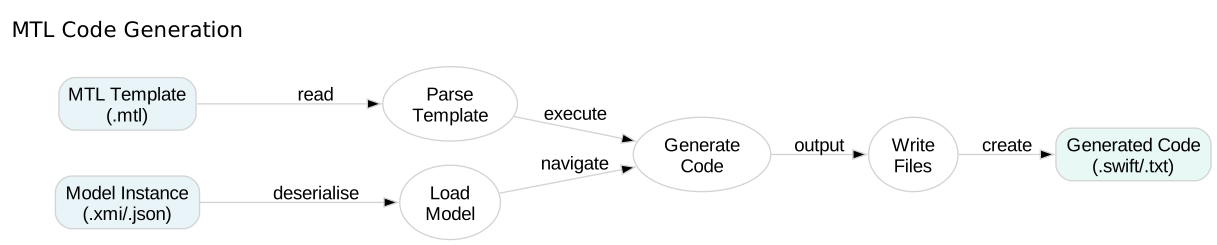
MTL Code Generation

Protected Areas

Learn how to preserve manual code changes across regenerations using protected areas.

In this tutorial, you’ll explore the protected directive, custom markers, and strategies for mixing generated and hand-written code safely.

30 mins Estimated Time

Section 1

Understanding Protected Areas

Protected areas mark sections of generated code that can be edited manually. During regeneration, MTL preserves these sections whilst updating surrounding generated code.

This solves the classic code generation problem: how to regenerate without losing manual customisations.

Step 1

Create a basic protected area.

The protected directive takes an ID and optional marker parameters. Content inside is preserved across regenerations.

ProtectedAreas.mtl
1[module ProtectedAreas('http://example.com')]
2
3[template main()]
4class MyClass {
5 var id: Int
6 var name: String
7
8[protected ('custom-methods')]
9 // Add your custom methods here
10[/protected]
11
12 init(id: Int, name: String) {
13 self.id = id
14 self.name = name
15 }
16}
17[/template]

Step 2

Use custom markers.

Custom markers let protected areas blend with your target language’s comment syntax. Users recognise them more easily than default markers.

ProtectedAreas.mtl
1[module ProtectedAreas('http://example.com')]
2
3[template main()]
4class MyClass {
5 var id: Int
6
7[protected ('custom-init', '// START_CUSTOM', '// END_CUSTOM')]
8 // Add custom initialization here
9[/protected]
10
11 init(id: Int) {
12 self.id = id
13 }
14}
15[/template]

Check Your Understanding

Question 1 of 1

What is the purpose of protected areas?

Complete Code Generator

Build a complete Swift code generator from the Company metamodel, applying all MTL concepts together.